Rendering Markdown in React with react-markdown
react-markdown safely turns a markdown string into React elements — no dangerouslySetInnerHTML needed. This guide covers basic usage, GitHub Flavored Markdown, syntax highlighting, and custom components.
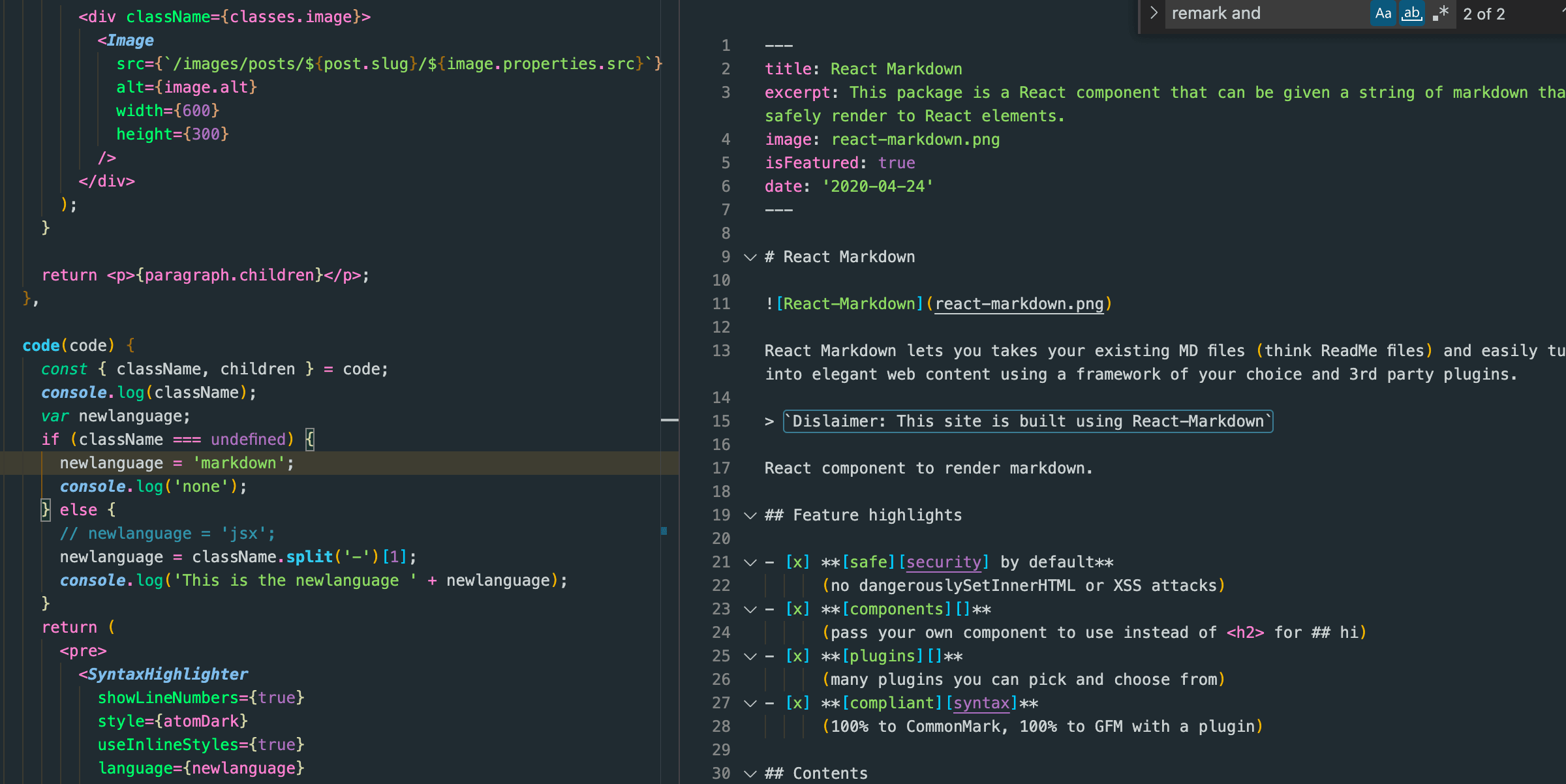
Markdown is everywhere — blog posts, READMEs, CMS content, comment fields. If you need to render it inside a React app, react-markdown is the standard choice: it converts a markdown string to React elements using a syntax tree, so you get safe output without touching dangerouslySetInnerHTML.
This guide covers everything you need to get from installation to a fully styled, syntax-highlighted blog renderer.
Install
npm install react-markdownFor GitHub Flavored Markdown (tables, strikethrough, task lists) add the remark-gfm plugin:
npm install remark-gfmFor syntax highlighting:
npm install react-syntax-highlighter
npm install --save-dev @types/react-syntax-highlighter
Basic Usage
Pass your markdown string as children:
import ReactMarkdown from 'react-markdown';

export default function PostBody({ content }) {
  return (
    <article>
      <ReactMarkdown>{content}</ReactMarkdown>
    </article>
  );
}
That renders # Hello as <h1>Hello</h1>, **bold** as <strong>bold</strong>, and so on. Raw HTML tags in the markdown are stripped by default, which is intentional — see Security below.
GitHub Flavored Markdown
CommonMark (the default) does not include tables, strikethrough, task lists, or bare URLs. Add remark-gfm to enable them:
import ReactMarkdown from 'react-markdown';
import remarkGfm from 'remark-gfm';

const markdown = `
| Name     | Role      |
| -------- | --------- |
| Alice    | Engineer  |
| Bob      | Designer  |

- [x] Write the post
- [ ] Add cover image

~~old text~~ new text

Visit https://react.dev for docs.
`;

export default function GfmExample() {
  return (
    <ReactMarkdown remarkPlugins={[remarkGfm]}>
      {markdown}
    </ReactMarkdown>
  );
}
remarkPlugins takes an array, so you can stack multiple plugins. If a plugin accepts options, wrap it in an array:
// singleTilde: false means only ~~ triggers strikethrough, not ~
<ReactMarkdown remarkPlugins={[[remarkGfm, { singleTilde: false }]]}>
  {markdown}
</ReactMarkdown>
Syntax Highlighting
The most common customisation is adding syntax highlighting to fenced code blocks. The components prop lets you override how any element is rendered.
import ReactMarkdown from 'react-markdown';
import remarkGfm from 'remark-gfm';
import { Prism as SyntaxHighlighter } from 'react-syntax-highlighter';
import { vscDarkPlus } from 'react-syntax-highlighter/dist/esm/styles/prism';

function CodeBlock({ node, inline, className, children, ...props }) {
  const match = /language-(\w+)/.exec(className || '');

  if (!inline && match) {
    return (
      <SyntaxHighlighter
        style={vscDarkPlus}
        language={match[1]}
        PreTag="div"
        {...props}
      >
        {String(children).replace(/\n$/, '')}
      </SyntaxHighlighter>
    );
  }

  return (
    <code className={className} {...props}>
      {children}
    </code>
  );
}

export default function PostBody({ content }) {
  return (
    <ReactMarkdown
      remarkPlugins={[remarkGfm]}
      components={{ code: CodeBlock }}
    >
      {content}
    </ReactMarkdown>
  );
}
How it works:
react-markdownrenders every code element through yourCodeBlockcomponent.- When the markdown has a language fence (
```js), the className islanguage-js. The regex extractsjs. - For fenced code blocks with a language match,
SyntaxHighlighterdoes the work. - For inline code (
`someVar`),inlineistrueso you fall back to a plain<code>tag.
Custom Components
You can override any HTML element that markdown produces. The components map keys are HTML tag names:
import ReactMarkdown from 'react-markdown';

const components = {
  // Open external links in a new tab
  a({ href, children, ...props }) {
    const isExternal = href?.startsWith('http');
    return (
      <a
        href={href}
        target={isExternal ? '_blank' : undefined}
        rel={isExternal ? 'noopener noreferrer' : undefined}
        {...props}
      >
        {children}
      </a>
    );
  },

  // Add an ID to every heading for anchor navigation
  h2({ children, ...props }) {
    const id = String(children).toLowerCase().replace(/\s+/g, '-');
    return <h2 id={id} {...props}>{children}</h2>;
  },

  // Wrap images in a figure
  img({ src, alt, ...props }) {
    return (
      <figure>
        <img src={src} alt={alt} {...props} />
        {alt && <figcaption>{alt}</figcaption>}
      </figure>
    );
  },
};

export default function PostBody({ content }) {
  return (
    <ReactMarkdown components={components}>{content}</ReactMarkdown>
  );
}
The full list of elements you can override: a, blockquote, br, code, em, h1–h6, hr, img, li, ol, p, pre, strong, ul. With remark-gfm you also get del, input, table, tbody, td, th, thead, tr.
Enabling Raw HTML (Trusted Content Only)
By default react-markdown strips HTML tags embedded in markdown. If you control the content source and need them rendered, add rehype-raw:
npm install rehype-rawimport ReactMarkdown from 'react-markdown';
import rehypeRaw from 'rehype-raw';
const markdown = `<div class="callout">
Important note here.
</div>`;
export default function TrustedContent({ content }) {
return (
<ReactMarkdown rehypePlugins={[rehypeRaw]}>
{content}
</ReactMarkdown>
);
}Only do this for content you own or have already sanitised — user-generated markdown with raw HTML enabled is an XSS risk.
Security
react-markdown is safe by default because it builds a React element tree through a syntax tree rather than injecting raw HTML. HTML tags in the input are either ignored or escaped.
The main things that can open XSS vectors:
- Adding
rehype-rawon untrusted content (see above) - Using a custom
arenderer that passeshrefdirectly without checking the scheme — ajavascript:URL can execute code when clicked
If you need to allow some HTML but sanitise it, add rehype-sanitize after rehype-raw:
npm install rehype-sanitizeimport rehypeRaw from 'rehype-raw';
import rehypeSanitize from 'rehype-sanitize';
<ReactMarkdown rehypePlugins={[rehypeRaw, rehypeSanitize]}>
{userContent}
</ReactMarkdown>rehype-sanitize ships with a sensible default allowlist. You can pass your own schema if you need to allow specific attributes.
A Full Example
Here is a production-style <MarkdownContent> component that combines all of the above:
import ReactMarkdown from 'react-markdown';
import remarkGfm from 'remark-gfm';
import { Prism as SyntaxHighlighter } from 'react-syntax-highlighter';
import { vscDarkPlus } from 'react-syntax-highlighter/dist/esm/styles/prism';

function CodeBlock({ node, inline, className, children, ...props }) {
  const match = /language-(\w+)/.exec(className || '');
  if (!inline && match) {
    return (
      <SyntaxHighlighter style={vscDarkPlus} language={match[1]} PreTag="div" {...props}>
        {String(children).replace(/\n$/, '')}
      </SyntaxHighlighter>
    );
  }
  return <code className={className} {...props}>{children}</code>;
}

const components = {
  code: CodeBlock,
  a({ href, children, ...props }) {
    const isExternal = href?.startsWith('http');
    return (
      <a
        href={href}
        target={isExternal ? '_blank' : undefined}
        rel={isExternal ? 'noopener noreferrer' : undefined}
        {...props}
      >
        {children}
      </a>
    );
  },
};

export default function MarkdownContent({ children }) {
  return (
    <ReactMarkdown remarkPlugins={[remarkGfm]} components={components}>
      {children}
    </ReactMarkdown>
  );
}
Usage:
import MarkdownContent from './MarkdownContent';
import { getPostContent } from '../lib/posts';

export default function BlogPost({ content }) {
  return (
    <article className="prose">
      <MarkdownContent>{content}</MarkdownContent>
    </article>
  );
}
Summary
| Need | Solution |
|---|---|
| Basic markdown rendering | <ReactMarkdown>{md}</ReactMarkdown> |
| Tables, task lists, strikethrough | Add remarkPlugins={[remarkGfm]} |
| Syntax highlighting | Custom code component with react-syntax-highlighter |
| Open external links in new tab | Custom a component |
| Render embedded HTML (trusted only) | Add rehype-raw plugin |
| Sanitise user-supplied HTML | Add rehype-sanitize after rehype-raw |
For anything more complex — MDX (JSX inside markdown), custom directives, footnotes — the unified ecosystem has a plugin for it.