React Helmet Async
React Helmet Async lets you quickly add Meta and other Head Tags to your Single Page React Application
What is React Helmet Async?
This package is a fork of React Helmet. <Helmet> usage is synonymous, but server and client now requires <HelmetProvider> to encapsulate state per request.
Documentation
Installation
npm i react-helmet-async
Setup and Usage
-
Import Helmet and HelmetProvider
import { Helmet, HelmetProvider } from 'react-helmet-async'; -
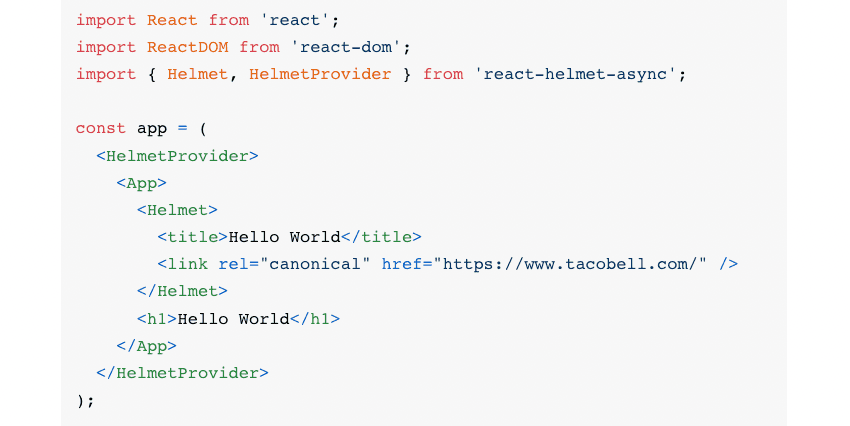
We need to wrap our app in a HelmetProvider Tag like our example below
<HelmetProvider> <App> <Helmet> <title>Hello World</title> <link rel="canonical" href="https://www.tacobell.com/" /> </Helmet> <h1>Hello World</h1> </App> </HelmetProvider> -
Next we need to add our Helmet for the APP and Individual Pages or Components we want seperate META tag information
-
A child with the Helmet tag will override the Meta Tags of a parent with the same type
-
We can also insert Dynamic Data into our Meta Tags to have singlePage unique SEO content.
Learn more about it here.